
In the second blog of the series on the Better Design System, they present how the design team used two parts of their design system — forms and clinical data visualisation — to work together to give clinicians a better overview of long-term health conditions. And to build it all, they used the low-code tools.
The two parts of our design system — forms and clinical data visualisation — that work together to give clinicians a better overview of long-term health conditions. Plus, the low-code tool that builds it all.
Patient registries collect data periodically over a longer period of time (sometimes a lifetime) for a group of patients that share the same diagnosis or other specific long-term health conditions. The dataset (disease-specific clinical data, such as labs, medications, and clinical scorings) and the data collection patterns are predefined and often follow international guidelines.
There are many reasons for such systematic tracking of data through time, such as improvement of treatment, research, gathering data for AI learning, and clinical studies, just to mention a few.
We develop our design system gradually through different use cases. Today we will dive into the Cattedra patient registries case and how it helped us build the missing building blocks in our design system. Cattedra is a project where we developed forms and solutions for four registries, each of them dedicated to paediatric patients with different autoimmune diseases. We provided them our Care plans and registries module to serve their needs for tracking patients data.
One of the main reasons why clinical forms are part of our design system is that they are an essential tool for collecting patient data. The second reason is that building user-friendly forms is quite a challenge. So we did the hard work of making that friendlier for everyone.
For Cattedra we built 33 forms in our form-building tool, where openEHR templates can be imported and forms built with a drag and drop, tweaking the design later. We could also build a form from scratch, using generic elements, and write EHR views later.
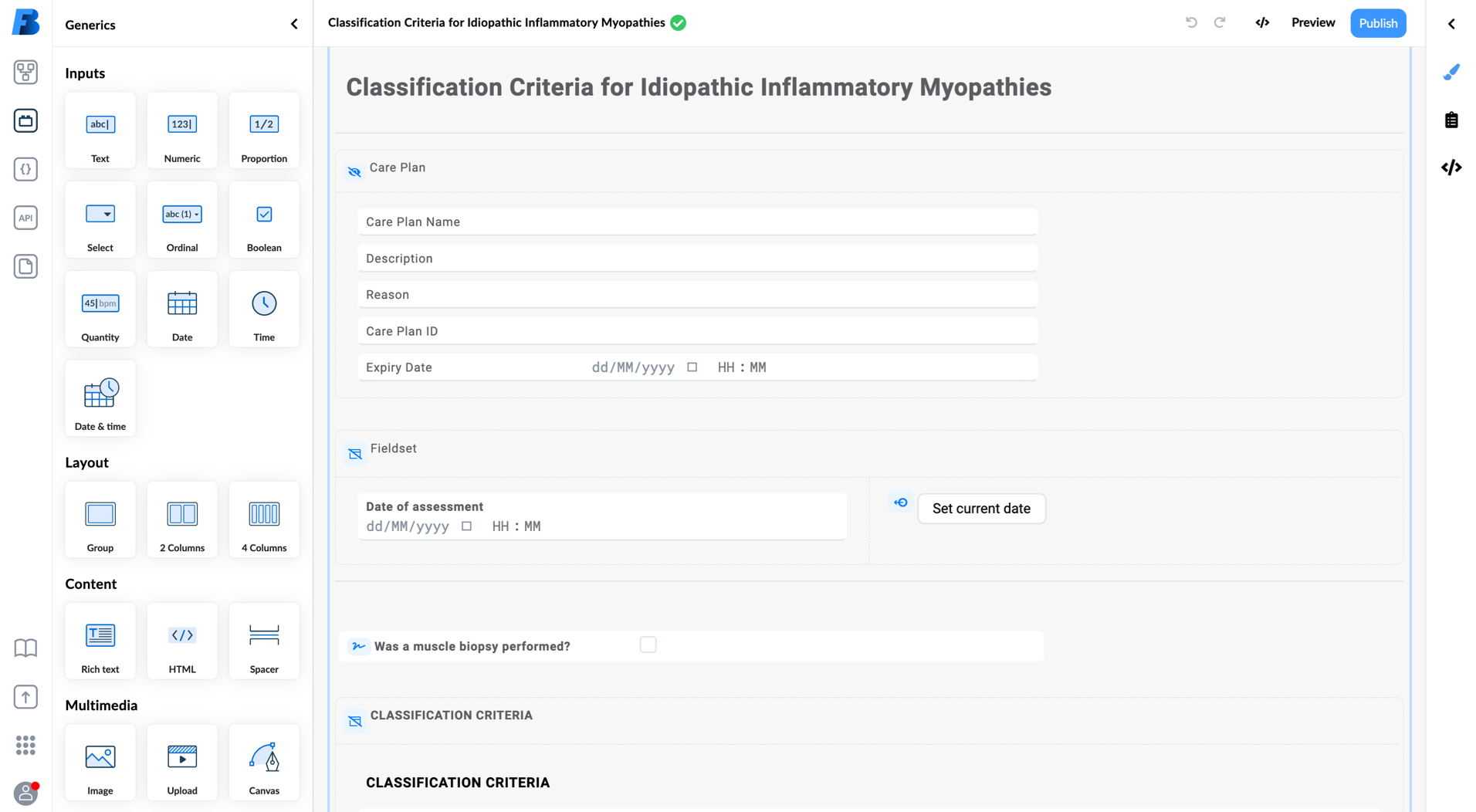
Forms for Cattedra were one of the most complex forms ever created. And the fact that all the newly created pages were done in a low code way, makes it even more special.
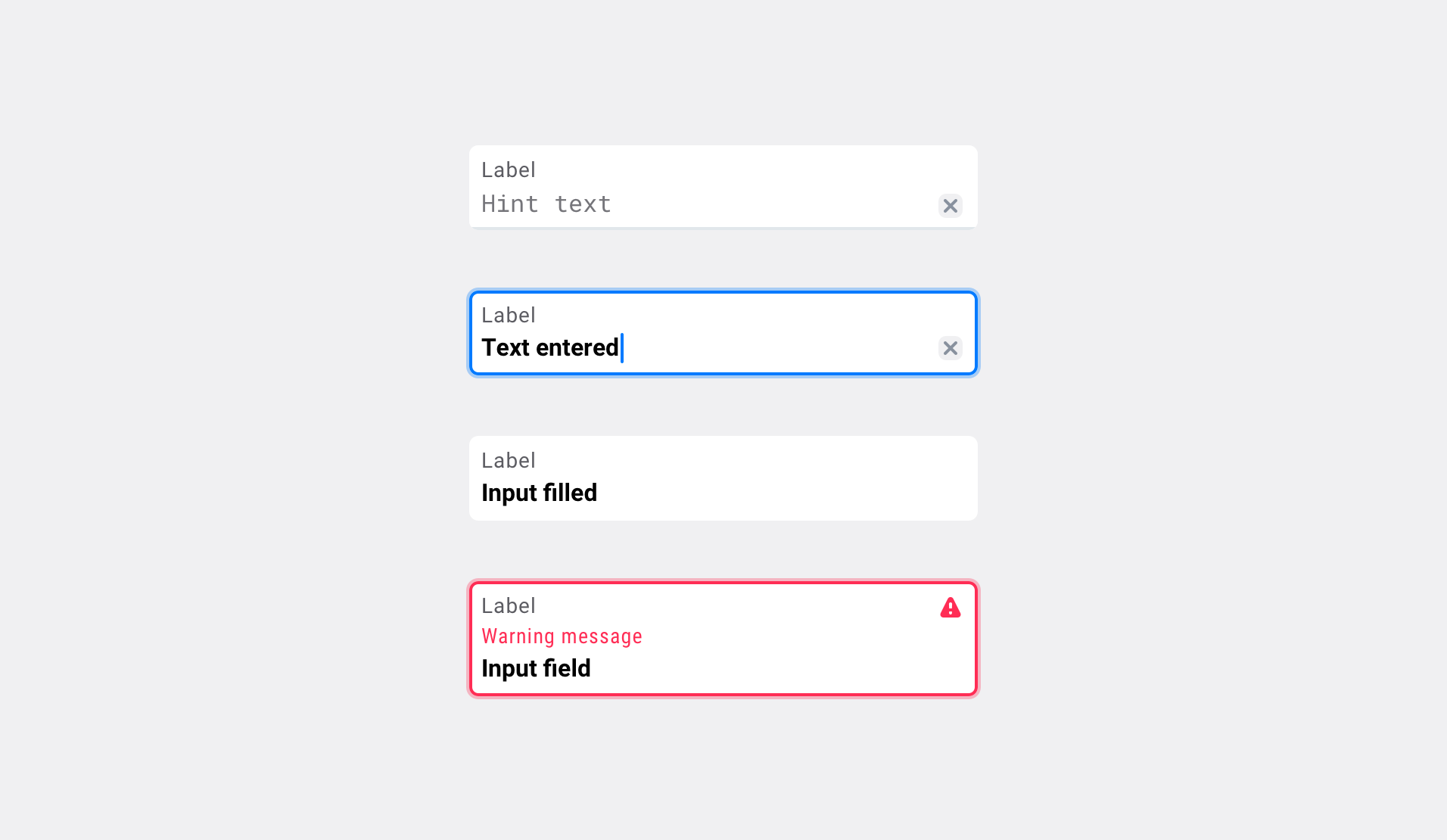
While designing elements for clinical forms we had two different types of users in mind: the one that builds forms in our Form builder tool (a power user) and the clinical staff and patients, who will later fill in those forms.
How we improved the design of Better forms:
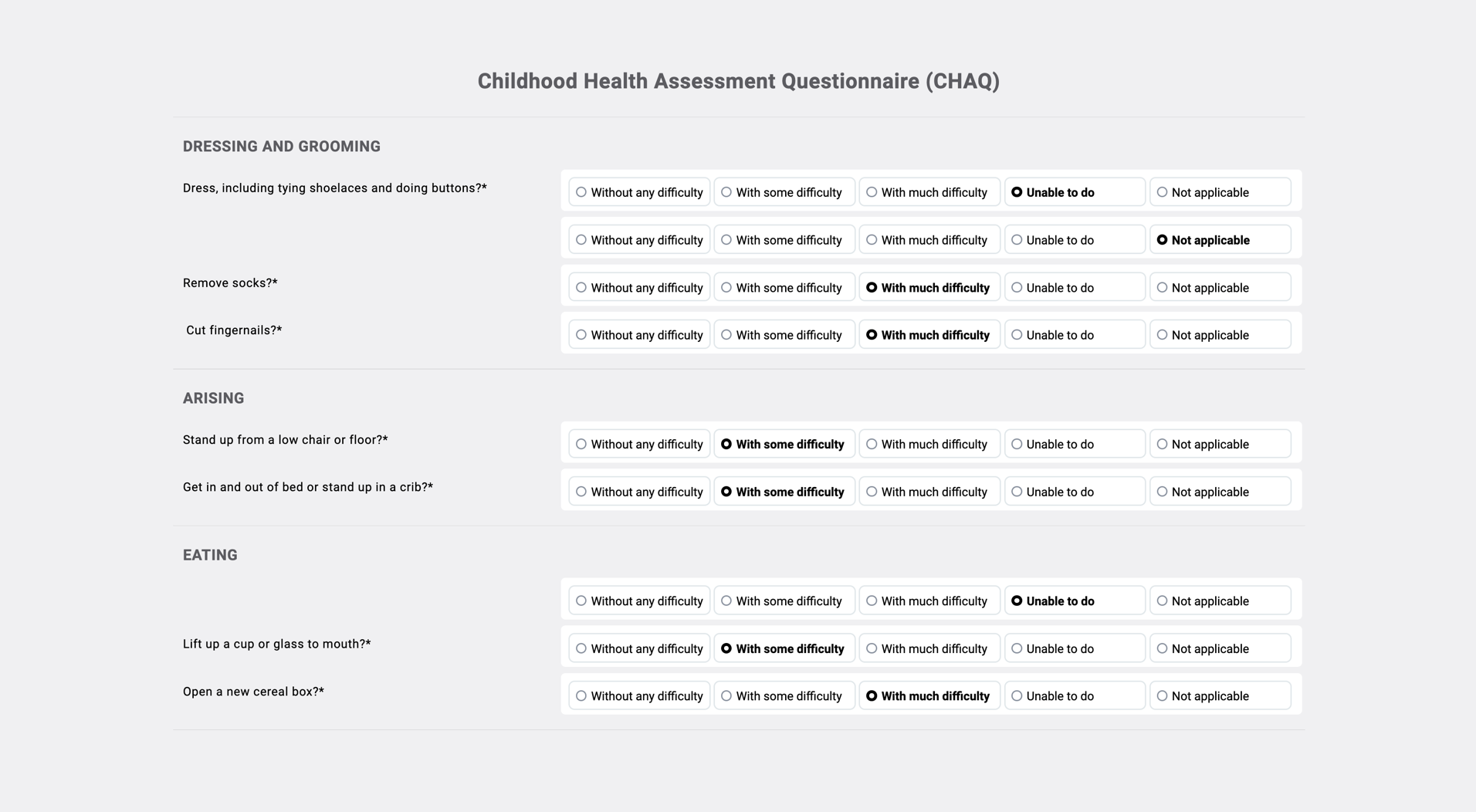
PROMs (questionnaires for patients that help clinicians to assess the impact of the disease) are somewhat specific, as they are mostly used by patients not clinicians, so we have to adapt our design to make it even more accessible and user-friendly.
We already implemented some much-needed improvements:
Health records are often organised source-wise, meaning that patient’s data is scattered among myriad tabs, sites, and apps (which often require an additional sign-on). As clinicians try to understand a patient’s clinical picture, they need to remember information from one source to another, which is hard and takes a lot of time.
We try to solve that problem with aggregated clinical data views, where all the relevant information is shown in one place. That makes trends reading and data comparison much easier and faster.
When reading data over a longer period of time everyone has their own preferences. Some users prefer seeing it in graphs, others in tables. That’s why we support both. Timeline graphs and tables allow users to follow the trend of one parameter over time and compare it with other parameters. This makes tracking the dynamics of the disease or response to treatment much easier.
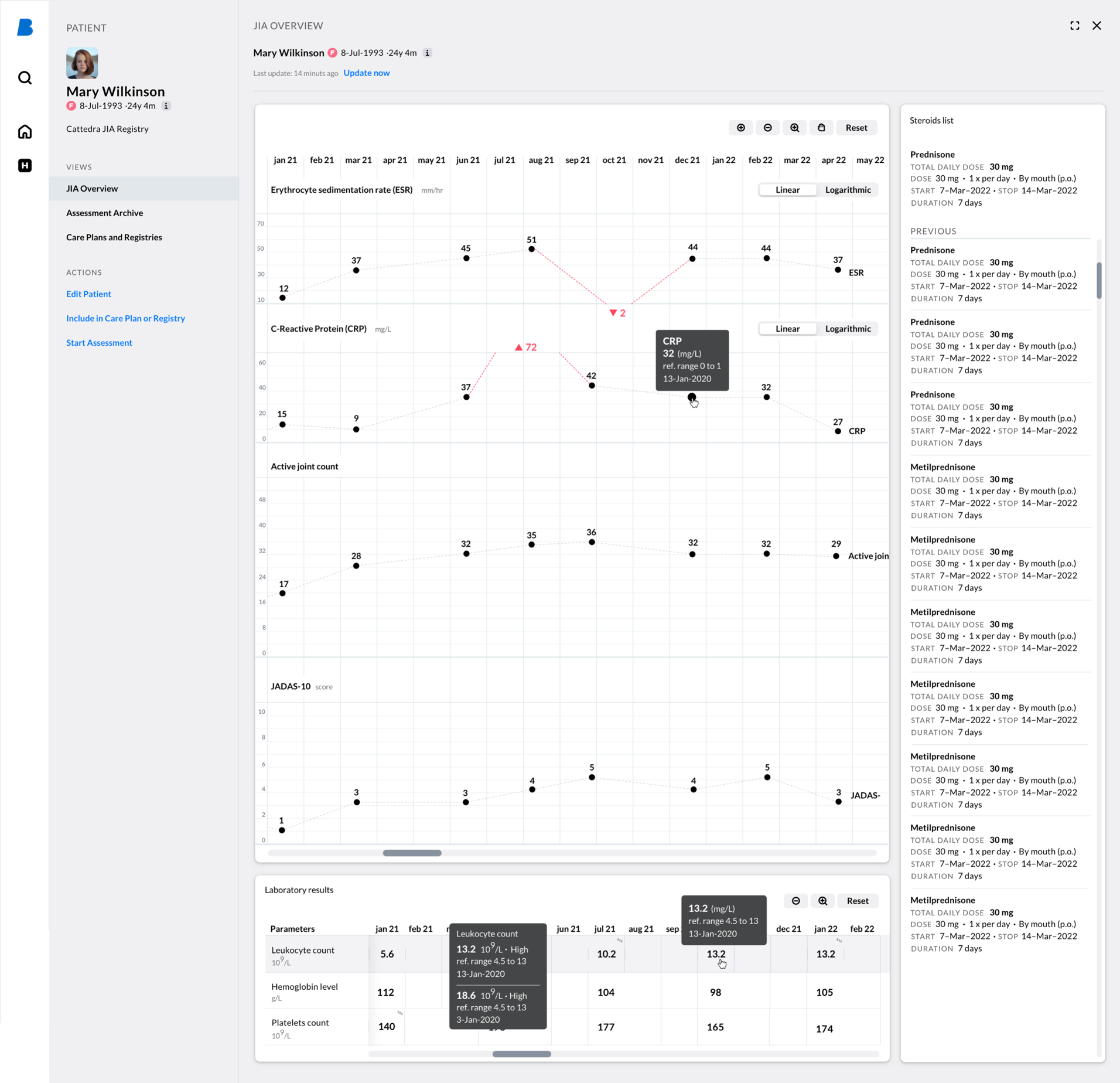
Timeline graphs, tables, and lists were already part of our clinical data visualisation system for a long time. But while working on disease specific registries, we finally acquired the know-how to develop these elements in a far more efficient low-code approach.
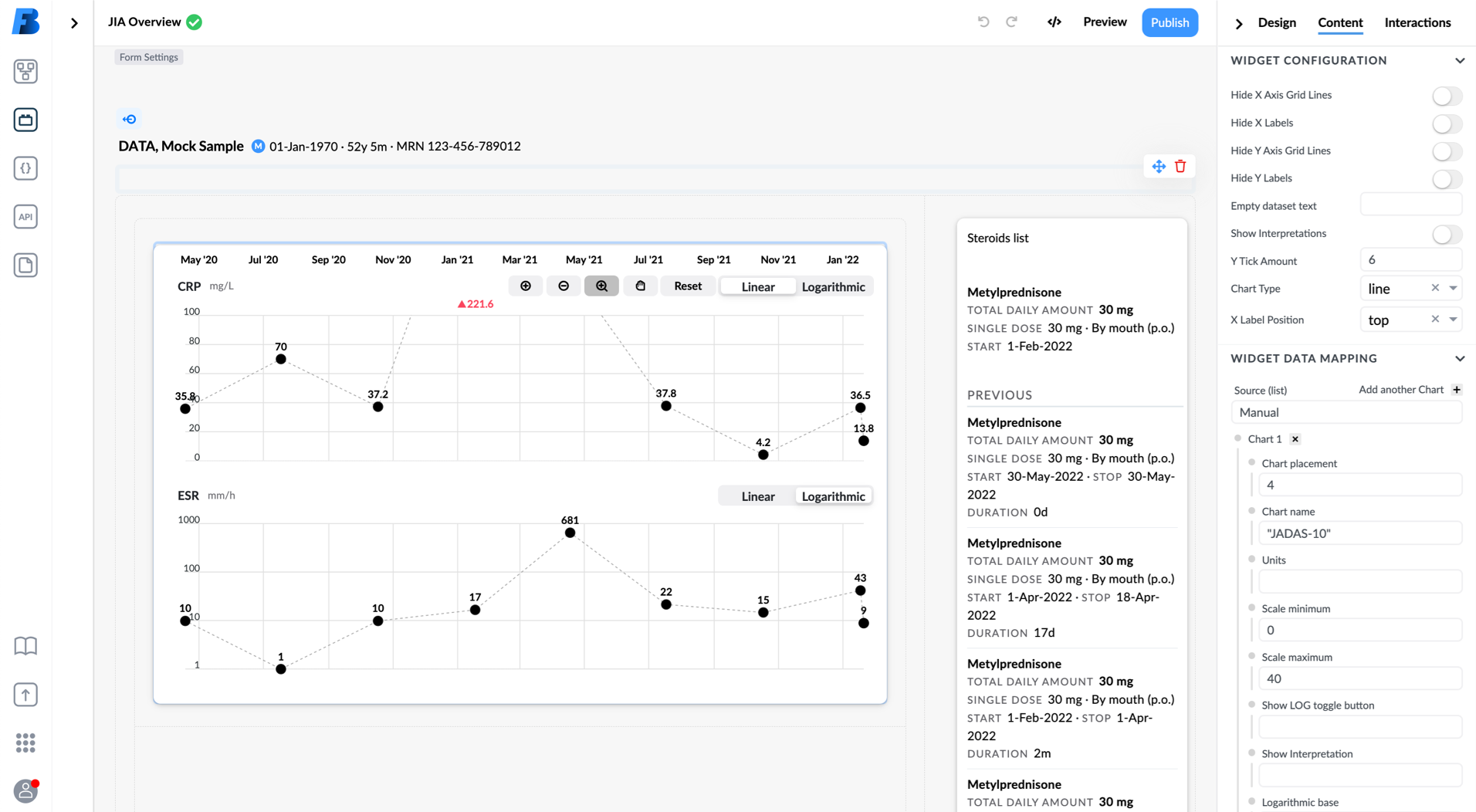
Building such views in our low-code building tool is handy. Widgets can be configured in the tool itself. Data retrieved using EHR views or AQL queries is used as a data source for widgets.
Example of graphs settings:
What’s also great about our modular design system and low-code view-building tool is that content and layouts can be created and adjusted much quicker compared to the classic “custom coded” approach. That’s also important for building versions for user testing that helps us to pick the most appropriate solution for each use case.
We are always searching for use cases on the market where our openEHR platform with low-code building-tools and design system could bring a significant improvement in delivering better care.
If you are one of them, please let us know, so we can do what we do best: design some more building blocks and patterns for you and for our design system.
Better transforms healthcare organisations with Better Platform, their market-leading open data platform, the Better Meds electronic prescribing and medication administration solution, and Better’s low code Studio, which allows applications to be built rapidly at a fraction of the cost. The company’s solutions are putting organisations in control of their data, workflows, and transformation plans, all with the aim of simplifying the work of care teams and improving lives. Better has provided solutions to more than 150 clients across 16 countries, and Better Platform securely supports over 30 million patients.